
Do not start with the question “smartwatch or fitness tracker?”
Start with the thing that will annoy you after two weeks.
If daily charging is fine and you want calls, apps, payments, maps and phone notifications on your wrist, buy a smartwatch. If you want light health and sleep tracking with less screen noise, buy a fitness tracker. If workouts, GPS and battery matter more than app polish, look at a Garmin-style sport watch. If you mainly care about sleep and recovery and hate screens in bed, a ring may make more sense than either.
That is the real decision. The rest is model matching.
The Short Answer
Buy by phone, battery and habit, not by the longest feature list
For an iPhone owner who wants a real phone extension, start with Apple Watch. For Samsung and Android users, compare Galaxy Watch8 and Pixel Watch 4. For simple sleep, steps and light workouts, start with Fitbit-style trackers. For training battery and GPS, look at Garmin. For sleep without a screen, consider Oura.
The wrong wearable is usually not technically bad. It is bad for your routine. A perfect-looking smartwatch becomes drawer clutter if charging it every night feels like a chore. A fitness band becomes frustrating if you expected proper replies, maps and apps. A sport watch can be brilliant for running and boring as a phone companion.
What I Would Research First
These are the lanes I would open first before looking at store pages. The point is not to crown one wearable for everyone. The point is to match the device to the habit it has to survive.
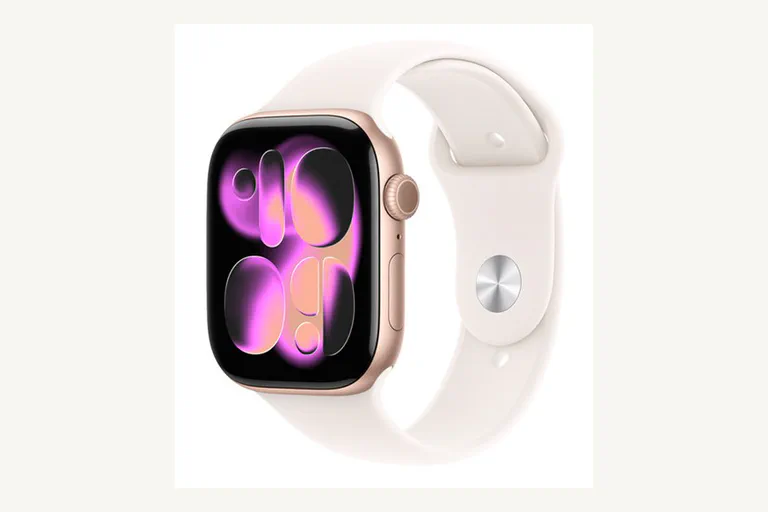
Apple Watch Series 11, SE 3 or Ultra 3
Open Apple Watch first if the watch is supposed to feel like part of your iPhone: calls, Wallet, messages, health alerts, safety features and app handoff.
- Best iPhone fit
- Strong app ecosystem
- Daily-charge rhythm
- SE/Ultra split matters
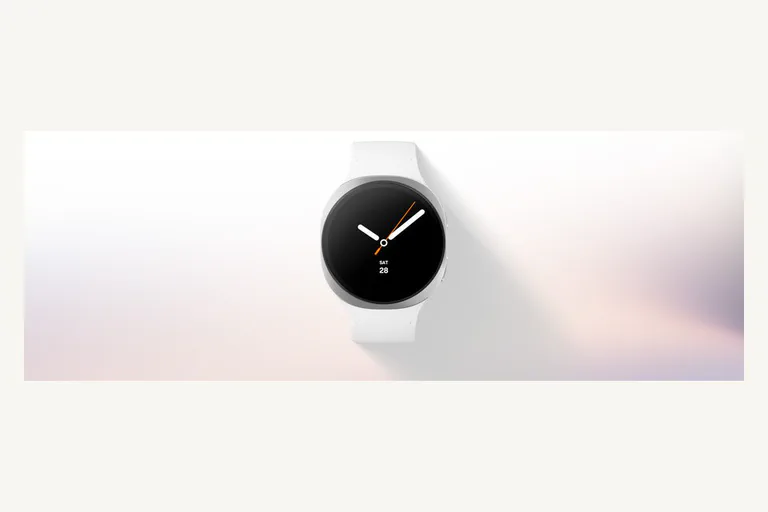
Galaxy Watch8
Start here if you use a Samsung phone and want the most natural Samsung Health, notifications and Wear OS route without treating Android watches as one generic pile.
- Samsung Health
- Wear OS
- Round watch feel
- Galaxy phone comfort
Pixel Watch 4
Open Pixel Watch if you are more interested in Google's design, Pixel integration and Fitbit health layer than Samsung's watch stack.
- Pixel-friendly
- Fitbit layer
- Assistant route
- Curved Actua display

Fitbit Charge 6 or Fitbit Air
Choose the Fitbit lane when you want the wearable to be quiet: sleep, steps, heart-rate trends and fewer reasons to stare at your wrist.
- Less screen noise
- Sleep and steps
- App requirements matter
- Subscription check
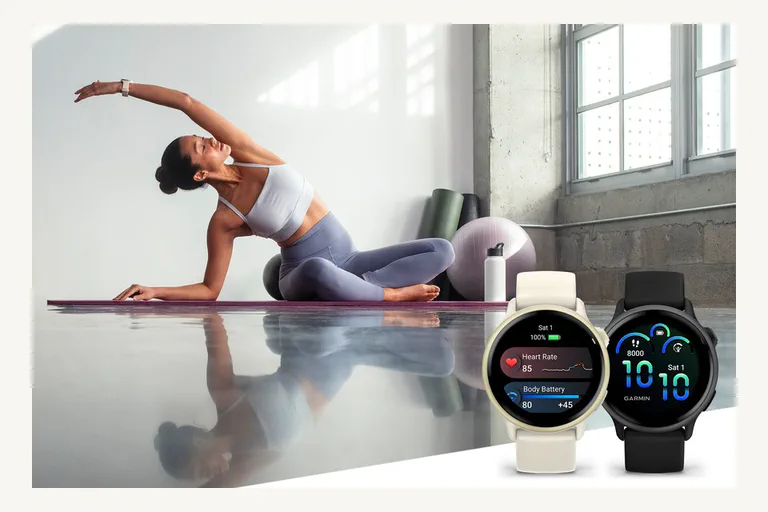
Garmin vivoactive 6
Open Garmin before an app-heavy smartwatch if your real use is training screens, GPS behavior, battery and workout structure.
- Sport-first
- GPS and workouts
- Longer battery lane
- Less app polish
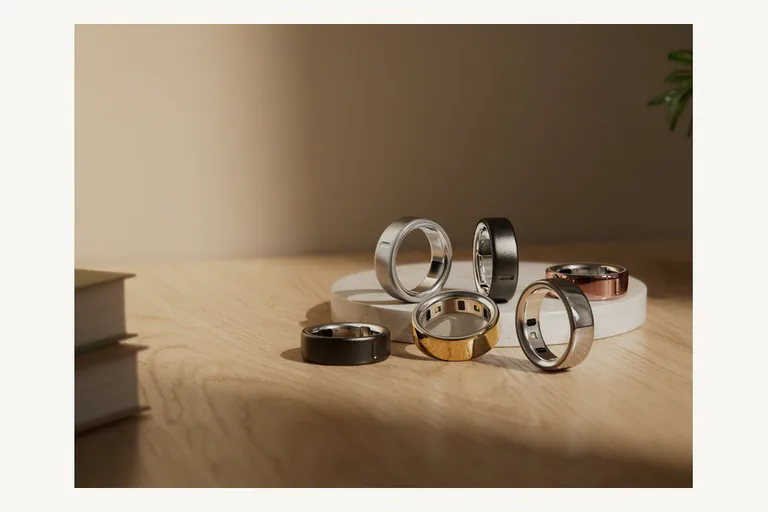
Oura Ring 4
Open Oura if sleep and recovery are the point and you know you do not want another display on your wrist at night.
- No wrist screen
- Sleep and recovery
- Sizing kit matters
- Membership check
If that list feels too simple, good. A buying guide should narrow the field before it teaches vocabulary.
Smartwatch, Tracker, Sport Watch or Ring?
The table is the decision. The individual model comes second.
The Two-Week Annoyance Test
Before you buy, imagine living with the device for two weeks. Not the launch video. Not the spec sheet. Your actual morning, commute, workday, workout and bedtime.
Ask yourself:
- Will I charge this without resentment? If you already forget your phone and earbuds, do not buy a daily-charge watch unless the features are worth the extra habit.
- Will I sleep with it? Sleep tracking is useless if the watch feels too bulky, bright or sweaty at night.
- Do I want more notifications or fewer? Some people buy a smartwatch and discover they have paid to make Slack, SMS, calls and app pings harder to ignore.
- Do I need data during exercise, or only after? A runner may want live pace, heart rate zones and GPS controls. A casual walker may only need the summary.
- Will a subscription annoy me? Fitbit, Oura and app ecosystems can put deeper insights behind memberships. That may be fine, but it should not surprise you after checkout.
- Does it fit your wrist and clothes? A huge rugged watch can look great in photos and feel ridiculous under a shirt cuff or while sleeping.
That is the place where fitness trackers often beat smartwatches. They do less, but you may actually wear them.
When A Smartwatch Is The Right Buy
Buy a smartwatch when the wrist computer part is the point.
For an iPhone user, that usually means Apple Watch first. It is not because every Apple Watch is perfect. It is because Apple controls the phone, watchOS, notifications, Apple Pay, health stack, safety features and app behavior tightly enough that the watch feels like part of the phone. If you use an iPhone and want a watch that can handle calls, messages, timers, maps, Wallet, alarms, workouts and emergency features, Apple Watch is the normal first lane.
The model choice is the real question:
- Series 11 is the mainstream first check.
- SE 3 is the value or family setup check.
- Ultra 3 is for people who genuinely want the bigger rugged watch, not for everyone who wants “the best.”
For Samsung and Android buyers, the question splits. Galaxy Watch8 makes the most sense if you live in Samsung’s phone and health ecosystem. Pixel Watch 4 makes more sense if you prefer Google’s design, Pixel integration and Fitbit angle. Neither should be treated as a universal Android answer without checking phone compatibility and feature limits.
The smartwatch tradeoff is simple: you get more power, more screen and more connection, but you also get more charging, more lock-in and more distraction.
When A Fitness Tracker Is The Right Buy
Buy a fitness tracker when you want the device to disappear.
That sounds less exciting, but it is often the right answer. A tracker is better for someone who wants steps, sleep, resting heart rate, light workouts and a gentle nudge to move, without another app drawer on the wrist.
Fitbit Charge 6 is still the clean known lane for a screen-based tracker, but check current Google/Fitbit setup requirements before buying. The account and phone requirements matter. A tracker is not just plastic and sensors now; it is also an app relationship.
Fitbit Air changes the conversation because it is a current screenless tracker. That could be ideal for people who want data without another display, but it also means you give up the glanceable-watch experience. Until there is enough owner and review evidence, I would treat it as “interesting to research,” not an automatic best buy.
Choose a tracker if:
- you want fewer notifications;
- you want easier battery life;
- you care about sleep and daily trends more than apps;
- you prefer small and light;
- you are buying for a person who will not manage a complex watch.
Skip a tracker if you expect real message replies, maps, rich apps, LTE, large workout screens or the feeling of a tiny phone.
When A Garmin-Style Sport Watch Is The Right Buy
This is the lane people often miss.
A sport watch is not just a chunky fitness tracker. It is for people who want workouts, battery, GPS behavior, pace screens, training load, recovery language and physical buttons or sport-first controls. Garmin vivoactive 6 is an approachable first research lane here. A Forerunner may be a better fit for a runner. A fenix or Instinct belongs in a more rugged outdoor decision.
The reason to buy Garmin is not “it has notifications too.” The reason is that the watch still makes sense when your phone is not the center of the activity.
Buy this lane if:
- you run, cycle, hike or train regularly;
- you care about GPS and workout screens;
- you do not want to charge every day;
- you prefer training data to app-store features.
Skip it if the main dream is replying to messages, controlling phone apps and using a polished assistant from your wrist.
When A Smart Ring Is The Right Buy
A ring is the quiet lane.
Oura Ring 4 is the obvious first product to research, but it should not be sold as a smartwatch replacement. It has no screen. It will not show maps, notifications or live pace. It is mostly for sleep, readiness/recovery style trends and people who hate wearing a watch in bed.
That can be exactly right. It can also be a bad buy if you expected “Apple Watch, but smaller.”
Before buying a ring, check:
- sizing kit and return terms;
- subscription or membership cost;
- whether you lift weights or work with your hands;
- comfort while sleeping;
- what data is useful without a screen.
For some people, a ring plus normal watch is better than one overloaded smartwatch. For others, it is expensive data they will stop reading.
Health Features Without Hype
Wearables are useful health companions. They are not doctors.
The safest way to read wearable health data is as trends, alerts and prompts. A high resting heart rate trend can be a signal to pay attention. A sleep score can help you notice habits. Irregular rhythm, hypertension or sleep-related alerts can be useful reasons to check official guidance or talk to a clinician. They are not the same as a diagnosis.
Be extra careful with glucose and blood pressure language. The FDA has warned consumers not to use smartwatches or smart rings that claim to measure blood glucose noninvasively without piercing the skin. If a seller implies that a normal consumer watch or ring can replace a glucose monitor, treat that as a red flag.
Also check region limits. ECG, sleep apnea, hypertension notifications, blood oxygen, temperature, cycle tracking and similar features can vary by country, age, phone, app, OS version and regulatory approval.
Plain-English rule: buy the wearable for habits and signals. Do not buy it as a medical shortcut.
Battery Reality
Battery claims are not lies, but they are usually best-case or mode-specific.
Always-on display, GPS, music, cellular, workout tracking, notifications, sleep tracking and bright screens can change the result dramatically. Garmin’s support materials are useful because they show how watch mode, GPS and music assumptions can produce very different runtimes. Apply that thinking to every brand.
Use this quick filter:
- If you want apps and phone features, accept smartwatch charging.
- If charging is the main thing that will annoy you, choose a tracker or sport watch first.
- If you train outdoors with GPS, read GPS-mode battery, not only smartwatch-mode battery.
- If you sleep track, make sure the device can survive day plus night without creating a bedtime charging problem.
A wearable that is dead on the charger is less useful than a simpler one you actually wear.
Privacy, Subscription And Family Setup
Wearables collect intimate data: sleep, heart rate, location, workouts, stress signals, cycle data, routines and sometimes family location. That does not mean you should avoid them. It means you should buy with eyes open.
Before checkout, check:
- Which phone and account the device requires.
- Whether the best insights require a paid membership.
- Whether data syncs to the cloud and which app owns it.
- Whether family or kid setup needs cellular service.
- Whether you can export data or move platforms later.
- Whether the return window is long enough to test sleep comfort and battery.
For kids and seniors, do not buy on fear alone. Safety features, location sharing and SOS can be valuable, but they also create setup work, privacy questions, carrier fees and a false sense of certainty if the watch is not worn or charged.
Buying Checklist
Before buying any wearable, answer these:
- What phone does it need?
- Will the main features work in your country?
- How often will you charge it?
- Will you sleep with it?
- Do you want notifications or fewer distractions?
- Do you need live workout screens?
- Is there a subscription?
- Can you replace the band and charger easily?
- Is the watch too big for your wrist?
- Can you return it after a real week of use?
Then make the purchase boring:
- Open the official product page first.
- Check phone compatibility, region notes and battery footnotes.
- Check at least one current independent review family for common complaints.
- Buy from a seller with a clear return window.
- Test sleep comfort, charging rhythm, notification noise and workout behavior immediately.
If the device irritates you in the first week, do not rationalize it. Return it and choose the calmer lane.
If your reason for buying is contactless payment, first make sure your phone and bank setup are not the real blocker; our NFC setup guide explains that side. If the wearable is mainly for calls, music, gym sessions or focus at work, pair the decision with our headphones and IEM buying guide so the wrist device is not solving the wrong comfort problem.
Useful Source Checks
These are the claim-critical sources I would open before buying or rewriting a product card:
- Apple Watch comparison and model support: Apple Watch Compare and Apple Watch model info.
- Samsung current Android watch lane: Galaxy Watch8.
- Google/Fitbit current lanes: Pixel Watch 4 specs, Fitbit Charge 6 setup requirements, and Fitbit Air launch details.
- Training/battery lane: Garmin vivoactive 6 announcement and Garmin battery-mode support notes.
- Ring lane: Oura Ring 4.
- Health-claim safety: FDA warning on smartwatch and smart ring glucose claims.
Final Recommendation
If you use an iPhone and want a wrist version of your phone, start with Apple Watch. If you use Samsung, start with Galaxy Watch8. If you are a Pixel/Google person, compare Pixel Watch 4 before drifting into generic Wear OS advice.
If you want fewer distractions, more battery and simple health tracking, start with a Fitbit-style tracker instead of trying to make a smartwatch behave quietly. If training data and GPS matter, look at Garmin before you buy a prettier but weaker sport companion. If sleep and recovery matter more than screen features, consider a ring, but treat fit and subscription as part of the product.
The best wearable is not the one with the most sensors. It is the one you will keep wearing after the novelty is gone.