
The fastest SSD is not automatically the best SSD to buy.
That matters more in 2026 than it did a year ago. SSD prices are more volatile, Crucial’s consumer retail exit has changed the closeout calculus, Gen5 drives are finally genuinely fast, and marketplace listings have become noisy enough that a suspiciously cheap “Samsung 990 Pro” deserves a second look before checkout.
So start with the device, not the headline speed. A PlayStation 5 needs a Gen4 M.2 drive with a heatsink. A thin laptop may reject a tall heatsink or a double-sided module. A gaming desktop usually wants a good 2TB PCIe 4.0 TLC drive, not a hot Gen5 flagship. A video editor may actually benefit from a Gen5 scratch drive, but only if the platform and cooling can support it.
The Short Answer
Buy a 2TB PCIe 4.0 TLC NVMe SSD for most gaming and productivity PCs
The boring answer is still the clean one. Start with a fast PCIe Gen 4 NVMe for your OS and gaming, grab a budget Gen 3 or SATA drive for secondary storage, and use high-capacity HDDs or cheap SATA SSDs for bulk file archives.
If you want to track latest prices and find the right SSD for your budget, check the recent SSD rankings in Comparator.
Treat checkout as part of the product. Verify the exact capacity, heatsink version, seller, condition, warranty and return window before calling anything a deal.
What Changed in 2026
The SSD market used to be easy to summarize: prices kept falling, PCIe 4.0 became mainstream, and buyers could usually wait for the next sale. That rhythm broke.
Micron announced that it would exit the Crucial consumer business, including Crucial-branded consumer SSDs and memory sold through retail channels, with shipments continuing only through fiscal Q2 2026. By May 2026, that makes Crucial more of a closeout/value question than a clean evergreen default. That does not mean every Crucial drive vanishes overnight, and existing support does not become meaningless, but it changes how we treat the brand: attractive if the price and seller are right, weaker as a long-term first recommendation.
At the same time, AI and data-center demand has made memory and storage pricing less predictable. TrendForce expects NAND contract prices to keep rising sharply in Q2 2026 as enterprise SSD demand absorbs capacity and suppliers limit client SSD supply. Tom’s Hardware has also been tracking U.S. SSD prices in 2026 because the old “wait and it will get cheaper” rule is less dependable right now. Some tracker prices still look much higher than historical deal prices, which is exactly why this guide uses price-sanity rules and buy/skip cues instead of pretending today’s sticker is permanent.
The technology changed too. Gen5 drives such as Samsung 9100 Pro and WD Black SN8100 can push roughly twice the sequential throughput of top Gen4 drives. That is real engineering progress. It is also not the same as “your game loads twice as fast.” Most day-to-day tasks are limited by small random reads, software behavior, CPU work, decompression, and thermal limits rather than a single peak sequential number.
If you are also planning a wider system upgrade, storage should be balanced with the rest of the machine. A fast SSD is useful, but it will not rescue a badly chosen GPU or too little RAM. Our custom PC build guide and MacBook Air guide use the same basic rule: buy the configuration that avoids regret, not the one with the loudest spec.
Check Compatibility First
Before comparing model names, answer four boring questions.
- What physical size does the device accept: 2.5-inch SATA, M.2 2280, M.2 2230, or something else?
- Is the M.2 slot NVMe, SATA, or both?
- What PCIe generation does the system support?
- Is there room for the heatsink you are about to buy?
That checklist prevents most bad SSD purchases. M.2 is a shape, not a guarantee of NVMe speed. Some older M.2 slots are SATA only. Some handhelds and compact laptops need 2230 modules. Some laptops cannot fit double-sided SSDs. PS5 can accept several M.2 lengths, but it still requires cooling and does not support M.2 SATA.
If you are not sure what your device supports, do this before checkout:
| Device | Fast check | Buy only when |
|---|---|---|
| Windows desktop | Open the motherboard page or manual and find the exact M.2 slot generation, length and heatsink layout. | The drive is NVMe, the length fits, and you know whether the board already includes a heatsink. |
| Windows laptop | Search the laptop service manual or teardown for M.2 length, single-sided/double-sided clearance and whether a thermal pad is used. | The module physically fits without a tall heatsink and will not fight the bottom cover. |
| PS5 | Use Sony's M.2 requirements page and verify PCIe Gen4 x4, 5,500 MB/s or faster, supported length and heatsink clearance. | The listing clearly includes a PS5-compatible heatsink or you have a known-good heatsink to add. |
| Old SATA laptop or desktop | Confirm there is no NVMe upgrade path before paying for a 2.5-inch SATA drive. | The machine accepts 2.5-inch SATA and the drive is from a reputable seller with returns. |
| Portable SSD | Check the computer's USB mode, not only the shape of the USB-C port. | The portable drive speed matches the port you actually have, or the lower speed is acceptable. |
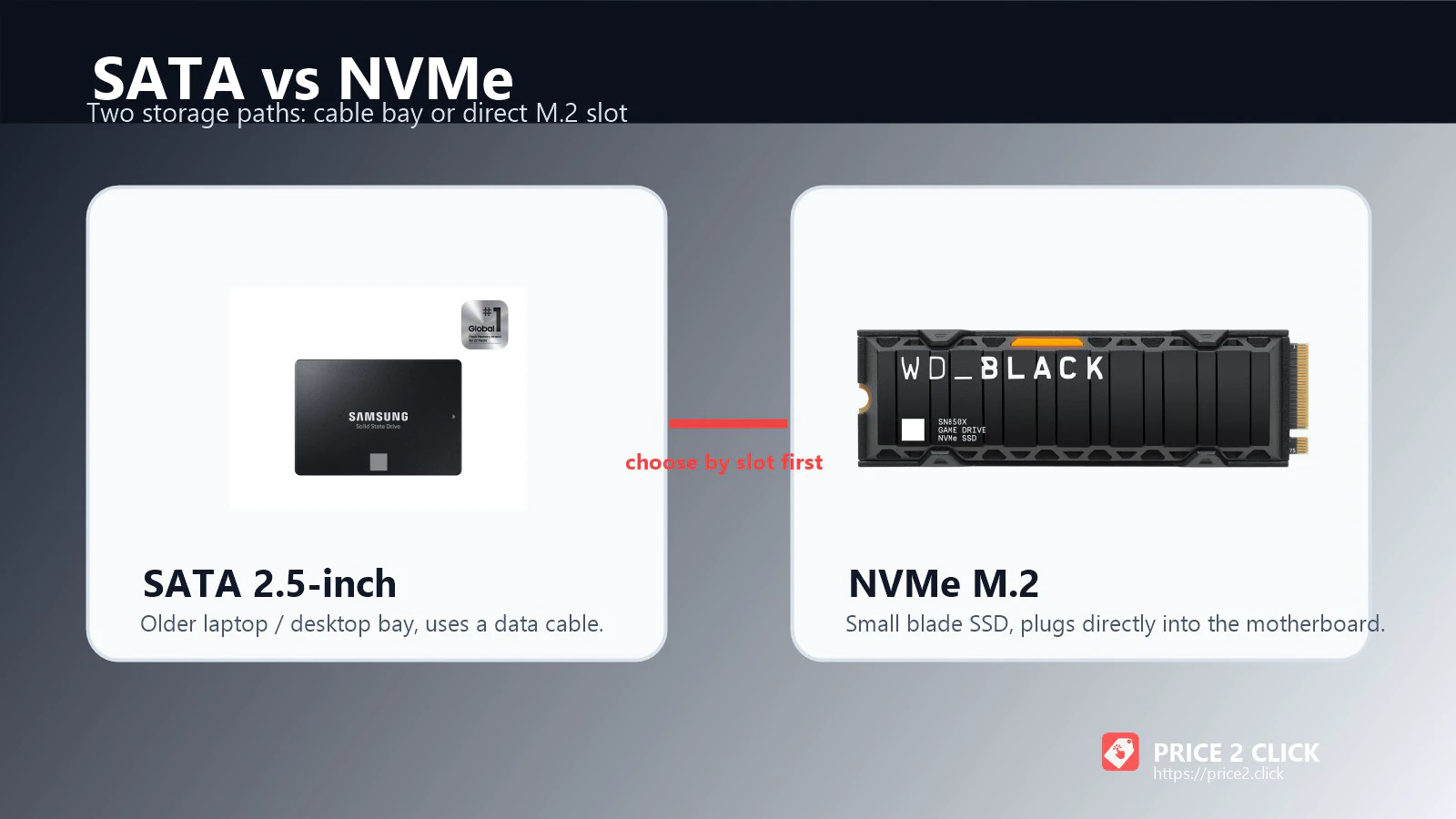
SATA III tops out at 6 Gb/s, which translates to roughly 560 MB/s in real high-end SATA drives. That is slow beside NVMe, but it is still a massive upgrade over an old hard drive. If a 2016 laptop has no NVMe path, a SATA SSD can make it feel usable again.
For a new desktop, SATA should usually be secondary storage or a legacy compatibility choice. A decent NVMe drive is now the main route. For a detailed breakdown of protocols, physical keys, and load time benchmarks, read our complete NVMe vs. SATA SSD guide. And if you are still debating whether you need an internal SSD, a portable drive, or a NAS, our storage decision guide maps out the broader strategy.
Pick by Use Case
| Scenario | Start with | Why | Watch out |
|---|---|---|---|
| Gaming desktop | 2TB PCIe 4.0 TLC NVMe | Best balance of speed, capacity, heat and price when the drive is from a reputable seller. | Gen5 pricing, fake listings and QLC drives sold like performance models. |
| PS5 expansion | 1TB to 4TB Gen4 M.2 with heatsink | Sony recommends 5,500 MB/s or faster sequential reads and requires heat dissipation. | Tall heatsinks, M.2 SATA drives and Gen5 overspend. |
| Thin laptop | Efficient single-sided NVMe | Power draw and heat matter more than desktop benchmark bragging rights. | Module length, double-sided layouts, 2230/2280 fit and heatsinks that will not fit. |
| Creator workstation | 2TB to 4TB TLC with DRAM | Sustained writes, TBW and thermal behavior matter for video, scratch and project files. | Buying a hot Gen5 drive without motherboard cooling. |
| Old desktop or laptop | 2.5-inch SATA SSD | It is the compatibility upgrade when NVMe is not available. | Very cheap DRAM-less SATA models as the only system drive. |
| Bulk media or game library | Large TLC or QLC secondary drive | Read-heavy storage can favor capacity and cost per TB. | QLC can slow badly in heavy writes and when nearly full. |
If you only remember one row, remember the first one. For most people building or upgrading a desktop, a 2TB Gen4 TLC NVMe SSD is the current sanity point. But a buying guide should not leave you stranded when the obvious pick is overpriced, sold out, or physically wrong for your device, so use the fallback map below before checkout.
What to Buy If the First Pick Is Too Expensive
Use this as the real shopping layer. SSD prices move quickly, and the best purchase is often the drive that is good enough, genuine, compatible and fairly priced today.
Best Internal SSD Picks
Best Premium Gen4 Default: Samsung 990 Pro
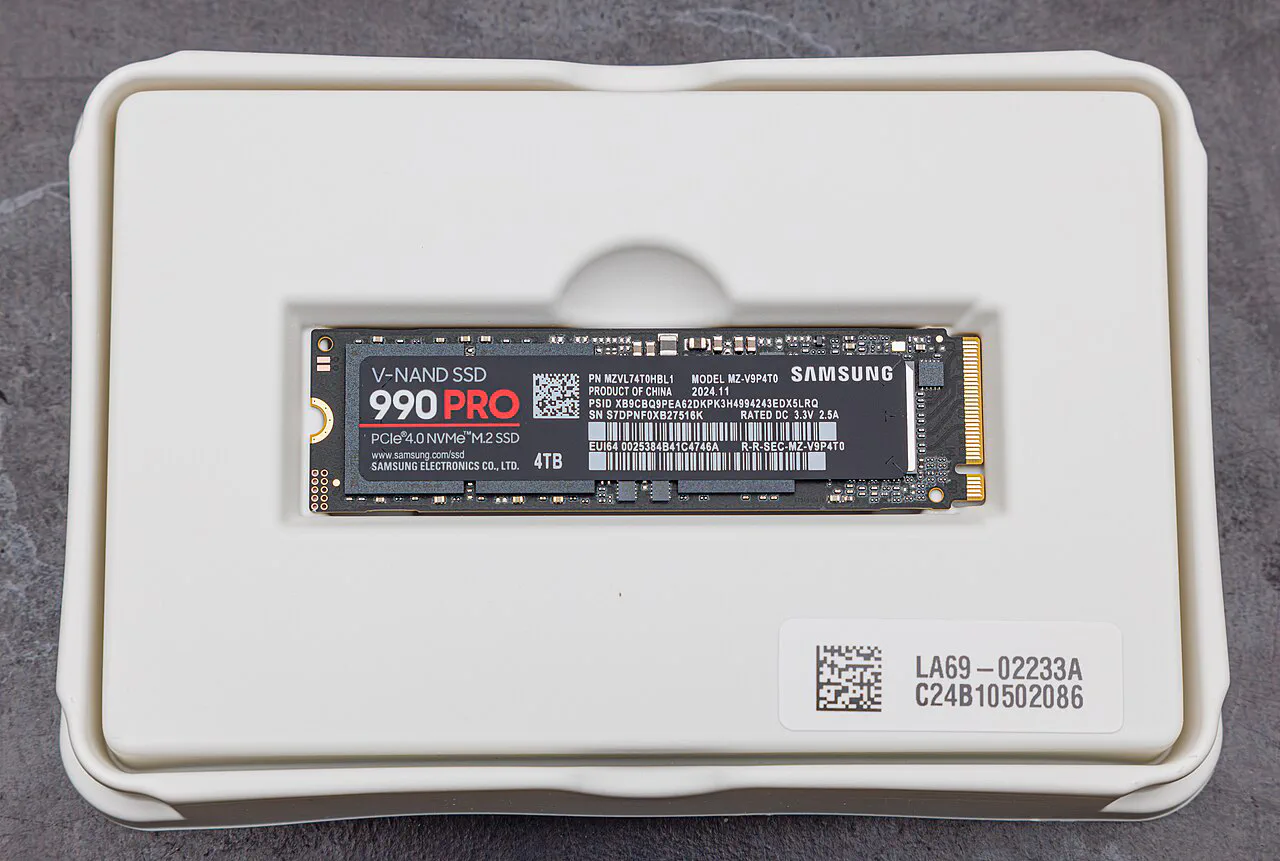
Samsung 990 Pro
A safe first price-check for a high-end gaming or productivity PC when the listing is genuine and the price has not spiked out of reason.
- PCIe 4.0 x4
- TLC
- DRAM
- Up to 4TB
- 5-year warranty class
Samsung lists the 990 Pro with sequential read/write speeds up to 7,450/6,900 MB/s, TLC NAND, DRAM cache and 1TB, 2TB and 4TB capacities. The 1TB, 2TB and 4TB models carry 600, 1,200 and 2,400 TBW endurance ratings respectively in Samsung’s warranty/spec materials.
The buying logic is straightforward: if the 990 Pro is close in price to other premium Gen4 drives, it is an easy pick. If it is dramatically more expensive than WD, SK hynix, Kingston or another reputable TLC alternative, do not pay the brand tax automatically.
Best Gaming and PS5 Alternative: WD Black SN850X
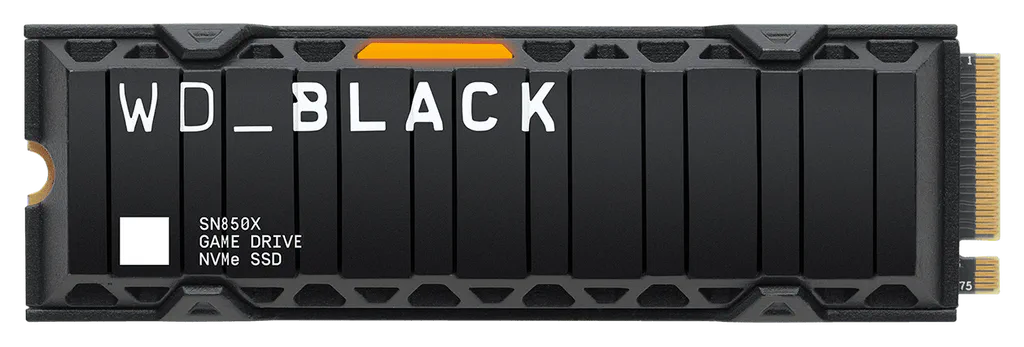
WD Black SN850X
A strong Gen4 alternative with a heatsink version that makes sense for PS5 and desktop buyers who want a simple gaming-focused route.
- PCIe 4.0 x4
- Up to 7,300 MB/s read
- 1TB to 4TB common
- Heatsink option
The SN850X remains one of the easiest drives to recommend when the price is sane. Western Digital’s data sheet lists a 5-year limited warranty class and TBW ratings that scale with capacity, including 600 TBW for 1TB, 1,200 TBW for 2TB and 2,400 TBW for 4TB.
For PS5, buy the heatsink version or add a compatible heatsink that fits Sony’s clearance limits. Gen5 does not help the PS5 enough to justify paying extra. For laptops, check the exact capacity layout before buying: large-capacity modules can be double-sided, and a drive that fits a desktop board may be a bad physical fit in a thin notebook.
Good Gen4 Alternatives When Flagships Are Overpriced
The 990 Pro and SN850X are easy names to remember, but they are not magic. In 2026, a smart buyer also needs an escape route when premium Gen4 prices spike, stock disappears, or the only available listing comes from a seller you do not trust.
Look at WD Black SN7100, Lexar NM790, TeamGroup MP44, Kingston KC3000, Kingston Fury Renegade, and SK hynix Platinum P41 when they are available from reputable sellers. The point is not that every one of those beats Samsung or WD in every benchmark. The point is that a good TLC Gen4 drive at a sane price can be the better purchase than a famous flagship at shortage pricing.
Here is the simpler buying assistant version:
- If you want the calm premium route, compare Samsung 990 Pro, WD Black SN850X, Kingston KC3000/Fury Renegade and SK hynix Platinum P41.
- If you want a cheaper main-drive route, compare TeamGroup MP44, Lexar NM790 and WD Black SN7100, but keep TLC as the default for your only SSD.
- If you want cheap capacity for games or media, QLC can be acceptable as a secondary drive, but do not confuse that with a heavy-work OS drive.
- If a listing is suspiciously cheap, slow down. Verify seller, exact model number, heatsink version, condition, warranty and return window before checkout.
For laptops, efficient single-sided drives deserve extra attention. Lexar NM790 is notable because it has been reviewed as a strong value Gen4 drive and is commonly discussed for single-sided high-capacity builds. WD Black SN7100 is also worth checking as an efficient laptop-focused Gen4 option. For PS5, be more conservative: Sony does not support Host Memory Buffer, so DRAM-less/HMB drives can work but may behave differently than they do in a PC. If the price difference is small, a proven heatsink model with strong PS5 track record is the calmer buy.
I would treat Solidigm P44 Pro and P41 Plus as old-stock opportunities, not evergreen defaults. Solidigm ended consumer SSD operations, so the price, seller and warranty path matter more than the benchmark nostalgia.
Best Old-PC Upgrade: Samsung 870 EVO, With Crucial Closeout Caveats
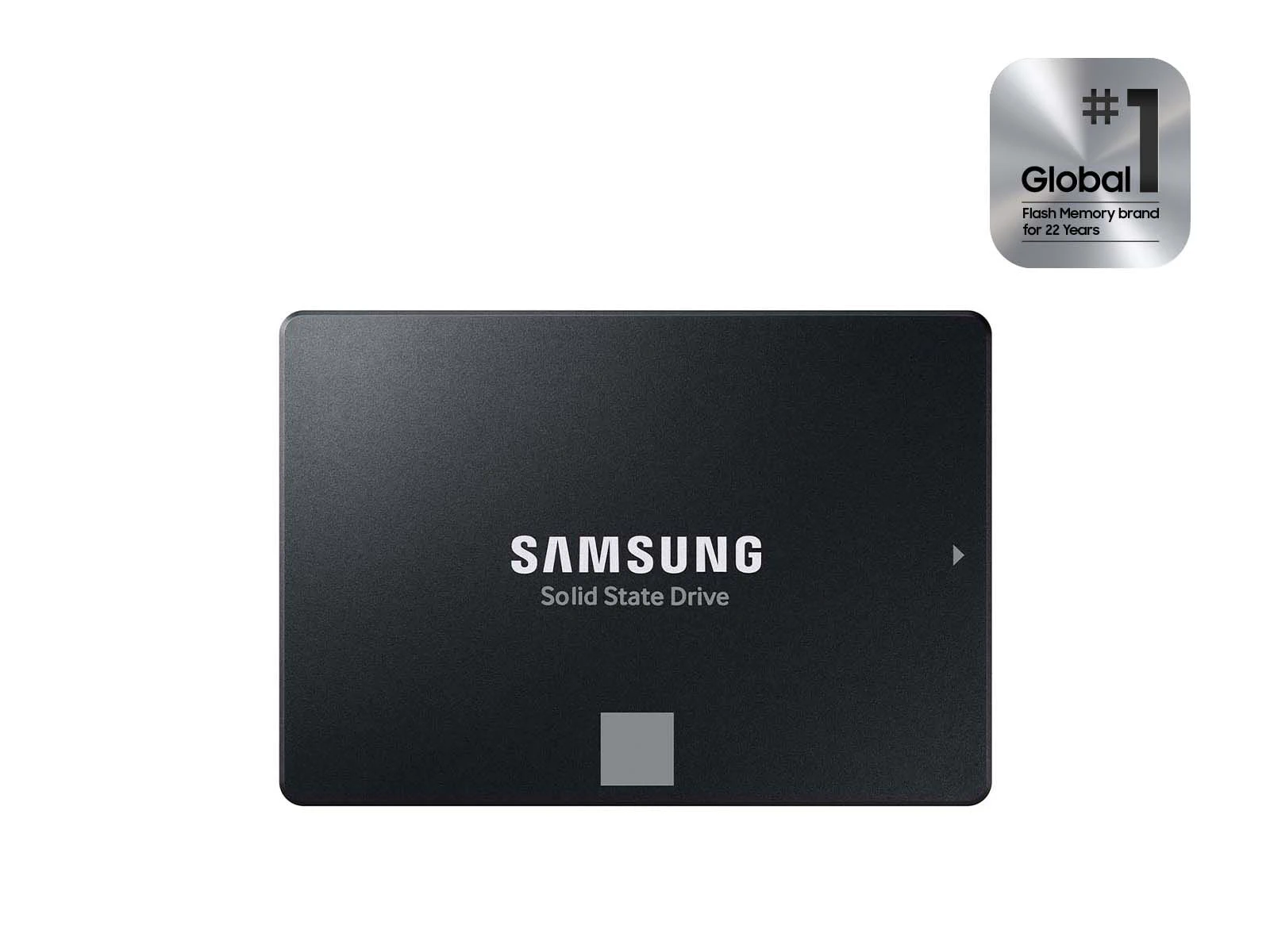
A good SATA SSD is the right upgrade when the computer does not have an NVMe path. Samsung 870 EVO remains the cleanest mainstream example: Samsung lists SATA 6 Gb/s support and up to 560/530 MB/s sequential read/write speeds. That is nowhere near NVMe, but it is a huge jump from a mechanical hard drive.
Crucial MX500 has been another long-running SATA value pick, but Micron’s consumer exit changes the recommendation. If you find MX500 at a strong price from a reputable retailer, it can still be a good buy. Just verify warranty terms, return window and whether the seller is clearing old stock. Samsung 870 QVO belongs in a different bucket: useful for cheap, mostly read-heavy bulk storage if priced correctly, but not the SATA drive I would choose as the only OS/work drive.
Best Gen5 Splurge: Samsung 9100 Pro or WD Black SN8100
Gen5 is finally interesting. Samsung 9100 Pro and WD Black SN8100 can reach roughly 14GB/s class sequential speeds in official specs and independent coverage. Samsung’s 9100 Pro data sheet lists PCIe 5.0 x4, NVMe 2.0, TLC NAND, DRAM, up to 14,800 MB/s sequential read and up to 13,400 MB/s sequential write.
That is impressive. It is also easy to overspend here.
Buy Gen5 if you move large files constantly, use a scratch disk for serious video or 3D work, run data-heavy local workflows, or already have a desktop platform with proper M.2 cooling. Corsair MP700 Pro XT/Elite and Crucial T705/T710 are also worth checking when their prices undercut Samsung or WD, but only with the same cooling and support caveats. Skip Gen5 if your main workload is gaming, browsing, office work, school, or general PC responsiveness. A strong Gen4 drive will feel the same most of the time and run cooler.
If you are building a whole setup around performance, remember that storage is only one piece. For input devices and desktop ergonomics, our mechanical keyboard guide uses the same “what will annoy you later?” framework.
DRAM, HMB, TLC and QLC Without the Fog
SSD marketing likes acronyms because acronyms make ordinary tradeoffs look mysterious. Here is the useful version.
Think of these labels as checkout warnings, not vocabulary homework.
The short version: if you are buying one SSD for Windows, games, apps and everyday work, prefer TLC. DRAM is a plus on premium and heavy-write drives. HMB is not a disaster in a PC, but it is not a PS5 feature. TBW matters most for creators and workstation users. Gen5 is real, but it is not magic.
PS5, Laptop and Desktop Traps
Sony's expansion slot is for M.2 NVMe PCIe Gen4 SSDs. M.2 is only the physical shape; SATA is the wrong protocol.
Desktop heatsinks can be too tall, and some laptops dislike double-sided modules. Check the service manual before buying.
The drive will fall back to the platform's supported speed. That may be fine, but it is not a performance upgrade.
External SSDs are convenient, not backup strategy. Keep at least one separate backup for irreplaceable photos, videos and work files.
Counterfeit high-end SSDs have become a bigger issue during shortage pricing. Prefer manufacturer stores and major retailers with real returns.
The PS5 rule is especially simple, but the details matter. Sony’s official support page calls for an M.2 NVMe SSD using PCIe Gen4 x4, 250GB to 8TB capacity, compatible M.2 lengths from 2230 through 22110, up to 25mm width, up to 11.25mm total thickness with the heat-dissipation mechanism, 5,500 MB/s or faster recommended sequential read speed, and effective cooling. Sony also says M.2 SATA is unsupported and Host Memory Buffer is unsupported, so some DRAM-less/HMB drives may show slower-than-expected performance in the console even if they look fine in a PC. That makes a 2TB SN850X with heatsink or 990 Pro with heatsink the type of product to compare first.
For laptops, efficiency matters. A drive that looks heroic in a desktop benchmark can be annoying in a thin notebook if it runs hot, throttles, or drains battery faster. Check M.2 length, single-sided requirements, PCIe generation and whether the laptop has a thermal pad or shield.
For desktops, the main trap is overspending. A high-end motherboard with Gen5 slots makes Gen5 tempting, but unless you know the workload, put the money toward capacity, RAM, GPU, monitor or backup storage first.
Portable SSDs: Useful, But Be Pickier
Portable SSDs are excellent for moving large files, editing on the road, carrying a game library or keeping local backups nearby. They also create a different kind of buying risk because the USB port, cable, enclosure controller and heat all matter.
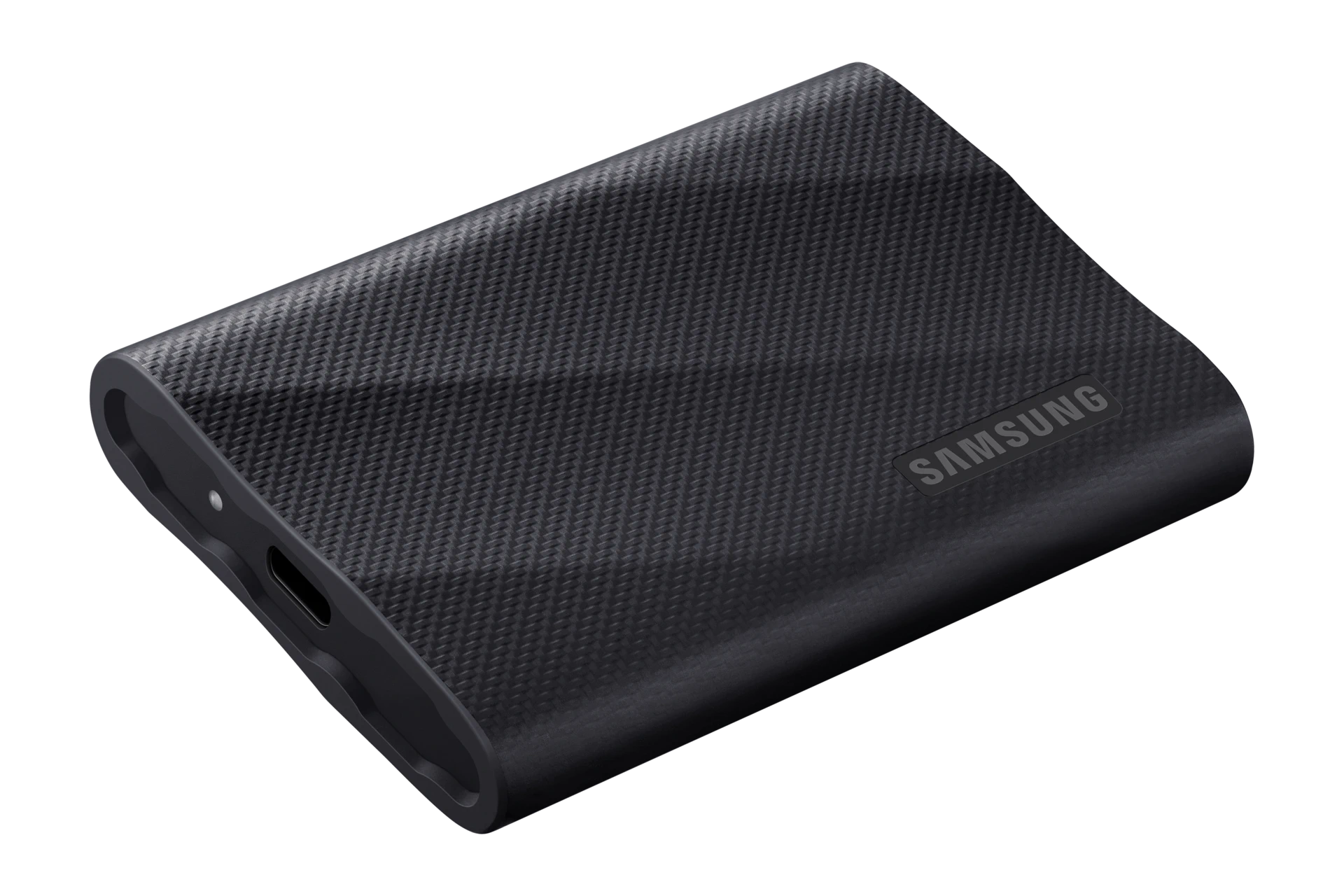
Samsung T9 is the safer fast mainstream starting point. Samsung lists USB 3.2 Gen 2x2 support and up to 2,000 MB/s sequential read/write speeds. The catch is that your computer’s USB-C port must also support 20Gbps USB 3.2 Gen 2x2 to see those top speeds. Many laptops, docks and desktops do not.
If you want broad compatibility more than peak speed, compare Samsung T7 Shield-class 10Gbps drives first. If your PC actually supports 20Gbps USB 3.2 Gen 2x2, Samsung T9 or Crucial X10 Pro-class drives make more sense. USB4 and Thunderbolt portable SSDs can be much faster again, but only on the right port and often at a much higher price.
SanDisk Extreme and Extreme Pro portable drives are still widely sold and still appear in external SSD roundups, but they deserve an extra caution label because Western Digital/SanDisk has had firmware-related portable SSD disconnect issues in the recent past. If you buy one, update firmware, test it hard inside the return window, and do not use it as the only copy of important work. This does not make every current SanDisk portable drive a bad buy; it means the return window and firmware check matter more than usual.
The Backup and Data-Recovery Check
An SSD upgrade can make a PC feel new. It can also become the moment when people accidentally lose files. Treat the drive swap as a small backup project, not just a shopping decision.
Before cloning or replacing a drive, make sure there is at least one separate copy of anything you cannot recreate: photos, client files, school documents, license keys, password exports, game saves and project folders. A clone is useful, but it is not a backup if the only copy of the data is being overwritten during the clone.
Use this quick rule before touching the old drive:
If the old drive is already failing, the best purchase may not be the fastest new SSD. It may be a clean backup target, a second external drive, or professional recovery if the files are worth more than the hardware. New storage solves future capacity and speed; it does not magically repair a damaged source drive.
Before You Pay: The Listing Check
Prices rechecked May 20, 2026. SSD pricing is unusually unstable, so use these as decision cues, not permanent price promises.
The practical store route: compare manufacturer store, Amazon sold by the brand or Amazon, Best Buy, B&H, Newegg and Walmart. Avoid marketplace sellers when the price looks too good, the model number is vague, or the listing mixes capacities and heatsink versions in a confusing way.
Before paying, check the exact listing like this:
- Confirm the capacity, heatsink version and model number in the title, photos and spec table all match.
- Check who sells and ships the drive. A brand store or major retailer is safer than a random marketplace seller.
- Read the return window before opening the package.
- For Samsung, WD/SanDisk, Crucial, Kingston and SK hynix, use the vendor utility after install when available.
- During the return window, confirm real capacity, SMART health and a quick performance sanity check. You do not need lab benchmarking; you need to catch a fake, wrong model, thermal problem or bad portable drive before the return clock ends.
What I Would Avoid
I would avoid buying the cheapest SSD with a familiar-looking name from a marketplace seller you do not recognize. Counterfeit drives can report convincing names and capacities while performing nothing like the real product, and recent fake 990 Pro reporting shows that some clones can pass more basic checks than buyers expect.
I would avoid Gen5 drives for PS5. The console wants a fast Gen4 drive with cooling. It will not turn a Gen5 purchase into a Gen5 experience.
I would avoid 500GB as the main drive in a new gaming desktop unless the budget is extremely tight. Game installs are too large now, and a nearly full SSD is often a slower and more annoying SSD.
I would avoid QLC as the only drive in a write-heavy workstation. QLC can be fine for secondary storage, but if you are editing large files, using VMs, compiling big projects or writing scratch data all day, buy TLC with better endurance.
I would avoid assuming “up to 14,800 MB/s” means you will see that everywhere. Peak sequential speed is a best-case number. Real tasks depend on file size, queue depth, thermals, cache state, operating system behavior and the rest of the PC.
FAQ
Is PCIe 5.0 worth it for gaming in 2026?
Usually no. PCIe 5.0 SSDs are impressive, but most games do not benefit enough to justify the heat and price premium over a strong PCIe 4.0 TLC drive. Buy Gen5 for specific large-file or workstation workloads, not vague future-proofing.
How much SSD capacity should I buy?
For a new gaming or productivity PC, 2TB is the best starting point. 1TB is workable for budget systems. 4TB makes sense if you keep many games, video projects or local datasets. 500GB is now mostly a budget or secondary-drive size.
Do I need DRAM on an SSD?
For a premium main drive or write-heavy work drive, DRAM is still a plus. For budget NVMe, a good TLC drive with HMB can be fine. Be more cautious with DRAM-less SATA or cheap QLC drives used as the only system drive.
Is SATA SSD still worth buying?
Yes, if the computer has no NVMe option. A SATA SSD can transform an old laptop or desktop. For a modern PC with an NVMe slot, SATA is usually not the right main-drive purchase.
What SSD should I buy for PS5?
Buy an M.2 NVMe PCIe Gen4 x4 SSD with 5,500 MB/s or faster advertised sequential read speed and a PS5-compatible heatsink. 2TB is the most comfortable capacity for most players. If SN850X with heatsink is too expensive or unavailable, compare Samsung 990 Pro with heatsink, Samsung 980 Pro with heatsink if discounted, or another proven Gen4 heatsink model that fits Sony’s limits. Do not buy M.2 SATA, and do not pay extra for Gen5 just for PS5.
Are portable SSDs safe for backups?
They are useful for backups, but they should not be the only copy. Portable SSDs can fail, disconnect, get lost or be damaged. Keep irreplaceable files in at least two places, ideally including one separate offline or cloud backup.
The SSD I Would Start With
If I were buying one SSD for a gaming or everyday desktop today, I would start with a 2TB PCIe 4.0 TLC NVMe drive from a major brand and compare recent prices on Samsung 990 Pro, WD Black SN850X and similar reputable alternatives. I would buy the best-priced genuine listing with the right heatsink situation and return path.
For PS5, I would buy a 2TB Gen4 drive with a compatible heatsink and stop thinking about Gen5. For an old laptop, I would buy SATA only if NVMe is not an option. For a creator workstation, I would pay more attention to TBW, sustained writes, cooling and capacity than to one peak speed number.
The best SSD is the one your device can actually use, from a seller you can trust, at a price that still makes sense tomorrow morning.
Shopping note: prices and availability can change quickly. Check the exact model, seller, condition, warranty, and return window before buying.